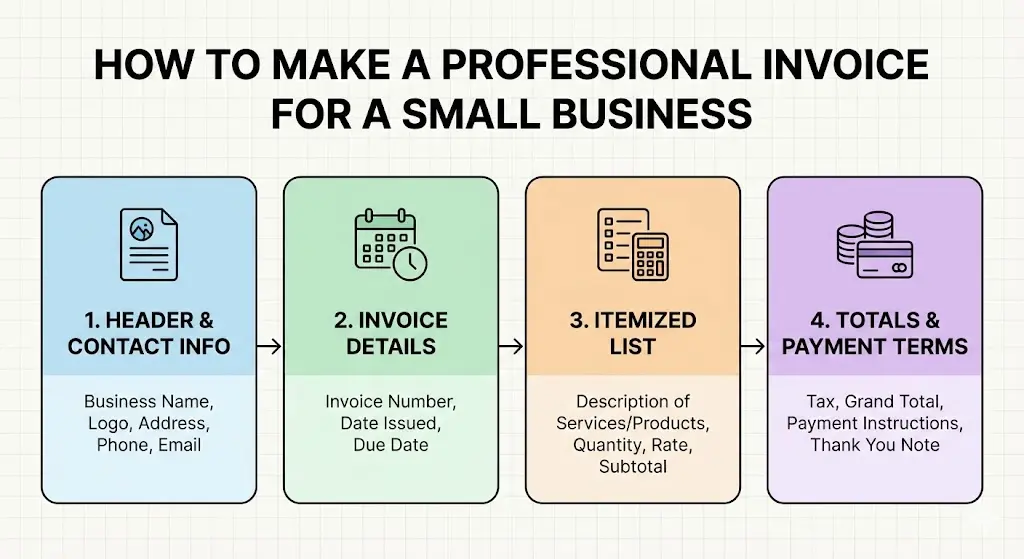
Creating a professional invoice is a critical part of running a small business. An invoice is more than a request for payment—it reflects your brand, establishes trust with clients, and helps keep your finances organized. Whether you provide services or sell products, a clear and well-designed invoice can improve cash flow and reduce payment delays. This guide explains how to create a professional invoice step by step.
What Is an Invoice and Why It Matters
An invoice is a formal document sent to a client that outlines the goods or services provided, their cost, payment terms, and how the client should pay. For small businesses, invoices serve several important purposes:
They act as a legal record of a transaction
They help track income and manage accounting
They communicate professionalism and credibility
They reduce confusion about pricing and due dates
A poorly made invoice can lead to delayed payments or disputes, while a professional invoice helps set clear expectations.
Essential Elements of a Professional Invoice
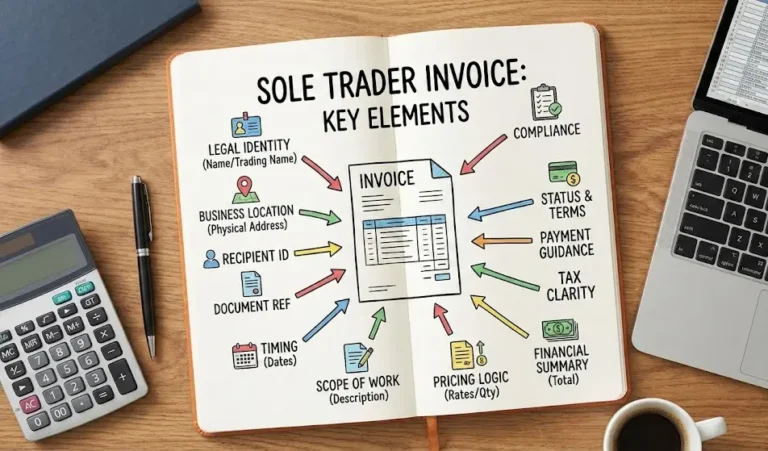
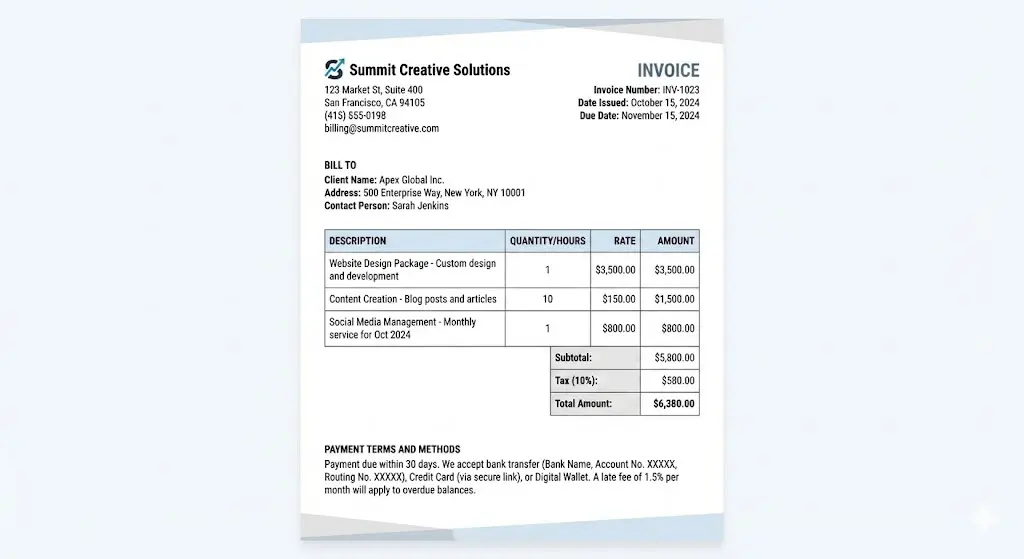
To be effective, every invoice should include specific key components. Leaving out important details can cause confusion or slow down payment.
1. Business Information
Business name
Logo (optional but recommended)
Business address
Phone number and email
This information makes your invoice recognizable and reinforces your brand identity.
2. Client Information
Clearly list the client’s details:
Client or company name
Address
Contact person (if applicable)
Accurate client information ensures the invoice reaches the correct person and looks tailored rather than generic.
3. Invoice Number
Each invoice should have a unique invoice number. This helps both you and your client track payments and reference specific transactions. A simple numbering system (such as INV-001, INV-002) is sufficient for small businesses.
4. Invoice Date and Due Date
Include:
The date the invoice is issued
The payment due date
Clear dates reduce misunderstandings and help clients prioritize payment.
5. Description of Products or Services
List each product or service provided with:
A brief description
Quantity or hours worked
Rate or unit price
Descriptions should be clear and specific so the client understands exactly what they are paying for.
6. Subtotal, Taxes, and Total Amount
Break down the costs:
Subtotal (before tax)
Applicable taxes or fees
Total amount due
Transparency builds trust and reduces disputes.
7. Payment Terms and Methods
State how and when payment should be made. For example:
“Payment due within 14 days”
Accepted payment methods (bank transfer, credit card, digital wallet, etc.)
If you charge late fees, mention them clearly in this section.
Choosing the Right Invoice Format
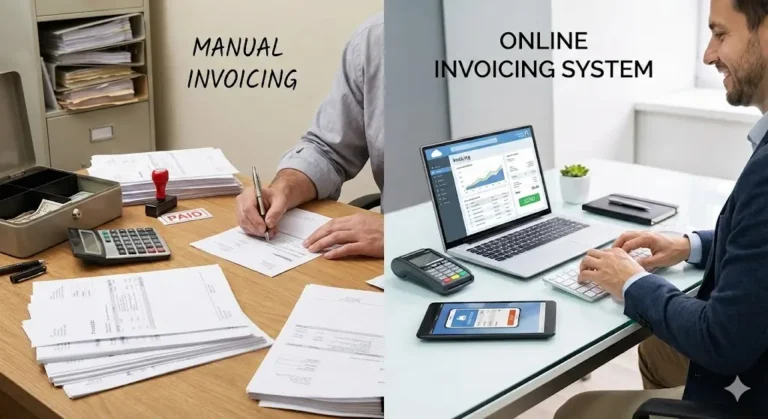
Small businesses can create invoices using:
Word processors or spreadsheets
Accounting software
Online invoicing tools
Regardless of the tool, keep the layout clean and easy to read. Use consistent fonts, proper spacing, and clear headings. Avoid clutter or overly decorative designs.
Branding Your Invoice
A professional invoice should align with your brand. You can do this by:
Using your brand colors subtly
Adding your logo
Maintaining a consistent tone
Branding makes your invoice look polished and helps clients recognize your business instantly.
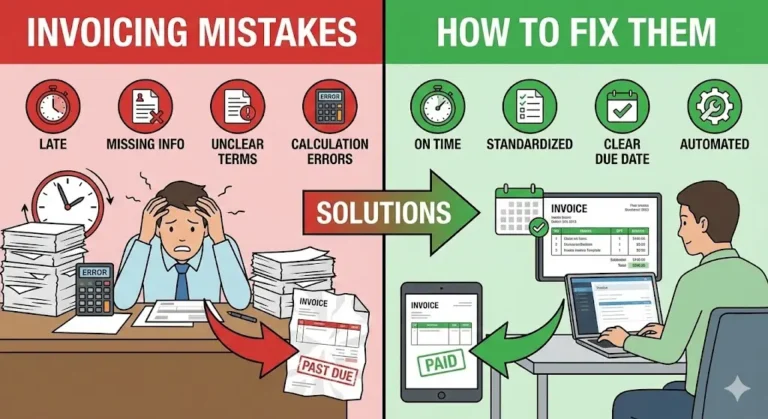
Common Invoice Mistakes to Avoid
Many small businesses make avoidable invoicing errors. Watch out for:
Missing invoice numbers or dates
Vague service descriptions
Incorrect totals or tax calculations
No payment instructions
Double-check every invoice before sending it to ensure accuracy.
Tips for Faster Payments
To improve payment speed:
Send invoices promptly after completing work
Use clear due dates instead of vague terms
Offer multiple payment options
Follow up politely on overdue invoices
Consistency and clarity can significantly reduce late payments.
Keeping Invoices Organized
Maintain a system for storing invoices, whether digital or physical. Organized records help with:
Tax preparation
Financial planning
Resolving client questions
Using accounting software can simplify tracking and reporting.
Final Thoughts
A professional invoice is an essential tool for any small business. By including the right information, using a clean design, and maintaining consistency, you can create invoices that look credible and get paid faster. Investing a little time in proper invoicing can have a big impact on your business’s financial health and professional image.