For small businesses, freelancers, and startups, invoicing is one of the most critical tasks. Proper invoices ensure timely payments, accurate recordkeeping, and a professional image. However, creating invoices from scratch can be time-consuming and may lead to errors if essential details are missed. Free invoice templates provide a cost-effective and efficient solution, offering ready-made structures that allow businesses to issue accurate, professional invoices without needing accounting expertise or paid software.
This guide explores what free invoice templates are, why they are valuable for small businesses, how to use them effectively, and tips for maximizing their benefits.
What Is a Free Invoice Template?
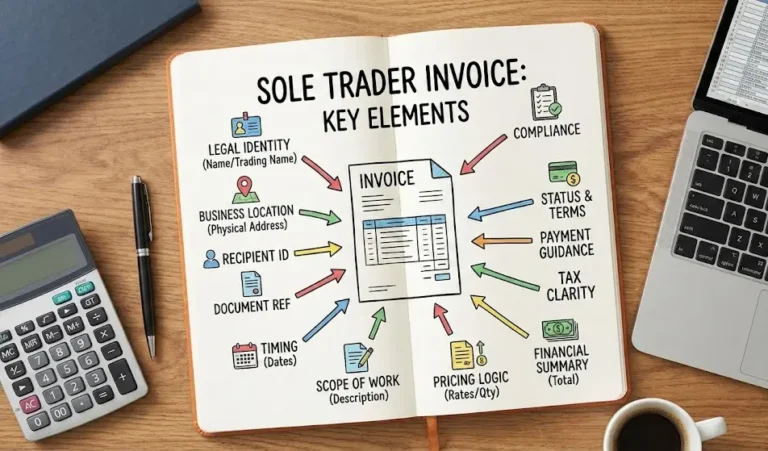
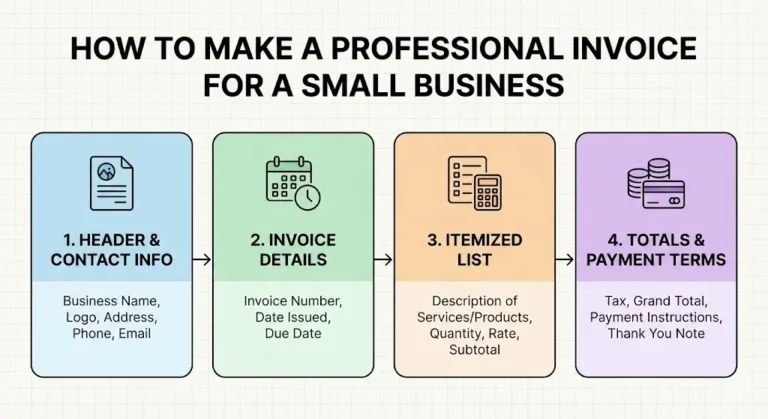
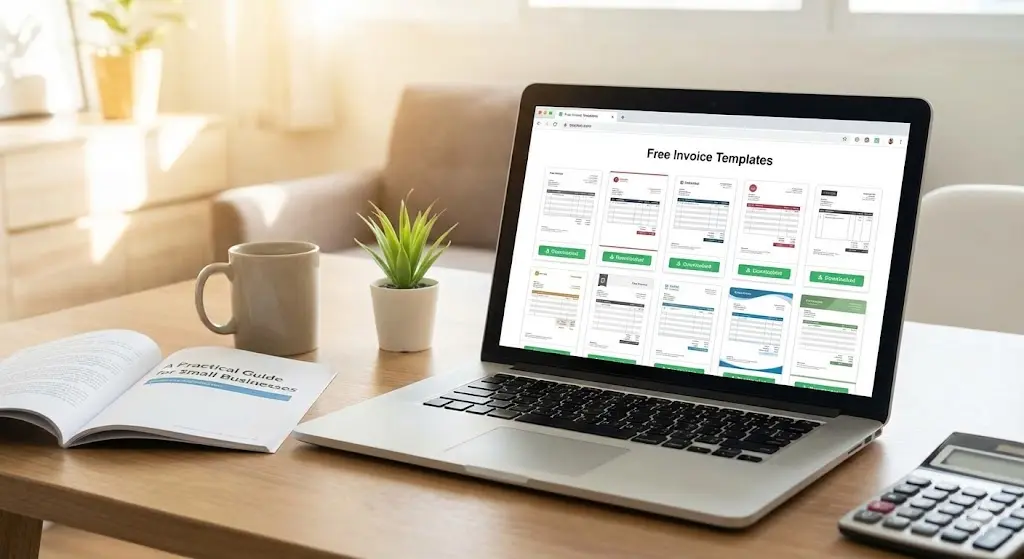
A free invoice template is a pre-formatted document that contains all standard fields required for billing a client. It typically includes sections for:
- Business and client details
- Itemized products or services
- Payment totals and calculations
- Invoice number, date, and due date
- Payment instructions and terms
These templates are often available in formats such as Word documents, spreadsheets, or PDFs. They can be downloaded, customized, and reused without any cost.
Free invoice templates are particularly useful for startups, small businesses, and freelancers who need a professional way to send invoices without investing in complex accounting software. They simplify the invoicing process while maintaining clarity and consistency.
Benefits of Using Free Invoice Templates
Small businesses often have limited resources and time. Free invoice templates provide several advantages:
- Cost-effective: No fees for software or professional design.
- Time-saving: Pre-designed structures allow businesses to quickly fill in client and product details.
- Consistency: Using the same template for every invoice ensures a professional and uniform appearance.
- Ease of use: Simple to edit and customize, even for those with minimal accounting or technical skills.
- Accuracy: Many templates include formulas or calculations for spreadsheets, reducing errors.
By using free templates, business owners can focus more on core operations, rather than spending time creating invoices from scratch
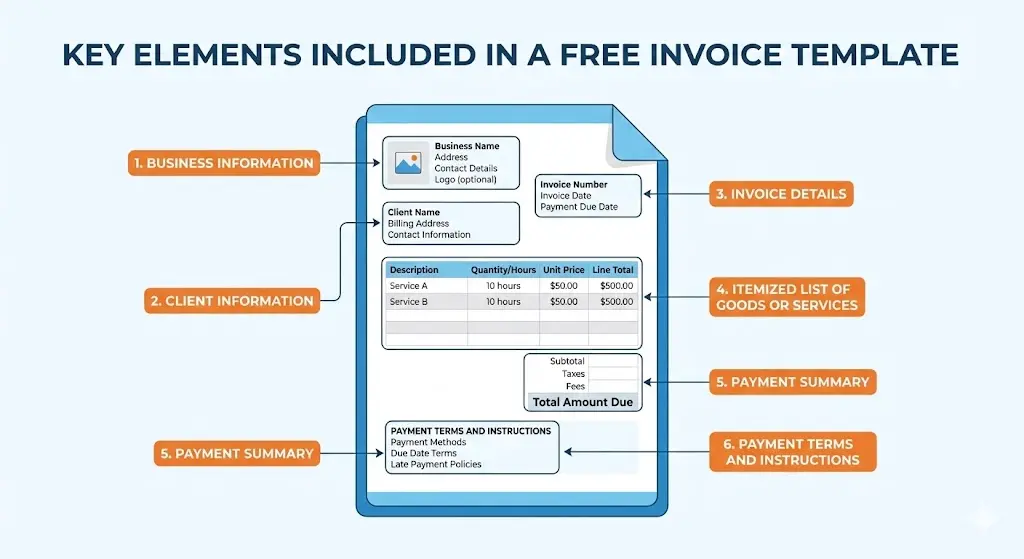
Key Components of a Free Invoice Template
A comprehensive invoice template includes all the necessary information to ensure clarity and accountability.
1. Business Information
The invoice should clearly state who is issuing it:
- Business name
- Address
- Contact details (email, phone)
- Logo (optional, for branding purposes)
2. Client Information
Identify the recipient to avoid confusion and ensure timely payments:
- Client name or company name
- Billing address
- Contact details
3. Invoice Details
Invoice-specific data helps track and organize invoices efficiently:
- Unique invoice number
- Invoice date
- Payment due date
4. Itemized List of Services or Products
Transparency helps clients understand exactly what they are being billed for:
- Description of each product or service
- Quantity or hours
- Unit price
- Line total for each item
5. Payment Summary
Summarize financial details to avoid misinterpretation:
- Subtotal
- Taxes or additional fees
- Total amount due
6. Payment Terms and Instructions
Clear instructions reduce confusion and late payments:
- Accepted payment methods (bank transfer, PayPal, etc.)
- Payment deadlines
- Late payment policies or penalties
Common Formats for Free Invoice Templates
Free templates come in various formats, each with advantages depending on your business needs:
- Word Templates: Easy to edit and suitable for simple invoices.
- Spreadsheet Templates: Automatically calculate totals, taxes, and discounts, reducing errors.
- PDF Templates: Maintain formatting consistency and are ideal for finalized invoices.
Choosing the correct format depends on your invoicing frequency, need for calculations, and whether automation is required.
How to Customize a Free Invoice Template
Customization ensures that the template fits your business identity and requirements. Ways to personalize include:
- Adding your business logo and brand colors
- Adjusting payment terms and deadlines
- Modifying currency, tax fields, or regional requirements
- Including personalized notes or instructions
Customizing the template once allows it to be reused for multiple invoices, saving time and maintaining a professional image.
Limitations of Free Invoice Templates
While free templates are highly practical, they do have limitations:
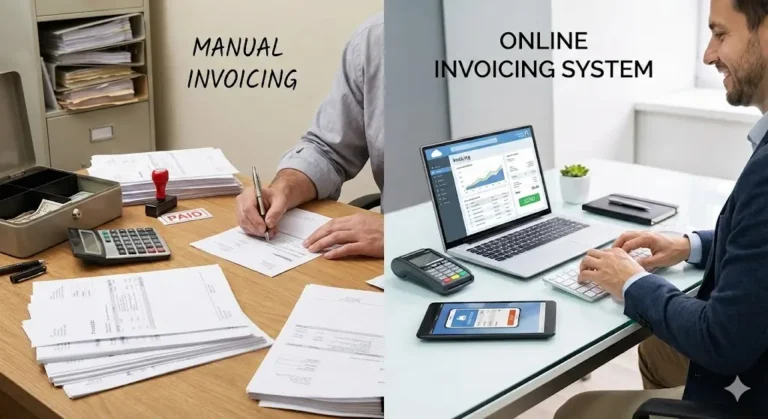
- Manual data entry is required for each invoice
- Payment tracking must be managed separately
- Limited functionality for recurring invoices or bulk billing
- No automated reminders for overdue invoices
- May become inefficient as the business scales
Despite these limitations, templates remain an excellent starting point for early-stage businesses or those with simple invoicing needs.
Best Practices for Using Free Invoice Templates
To make the most of free invoice templates, follow these best practices:
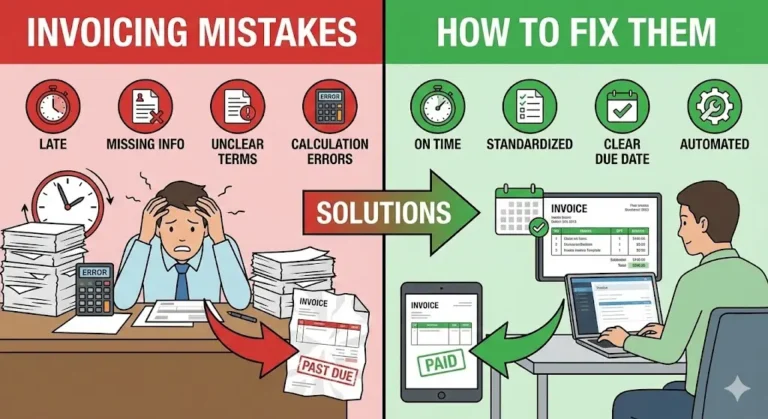
- Double-check all calculations before sending invoices.
- Maintain a consistent numbering system to track invoices easily.
- Save digital copies of all invoices for recordkeeping and tax purposes.
- Send invoices promptly after delivering products or services.
- Communicate clearly with clients about payment methods and due dates.
- Include all agreed-upon discounts or incentives directly on the invoice.
These practices improve professionalism, reduce errors, and encourage timely payments.
When to Consider Upgrading from Free Templates
Free invoice templates work well for small businesses, but as a company grows, manual processes may become inefficient. Consider upgrading when:
- You issue frequent invoices or handle multiple clients.
- You want automated payment reminders.
- You need tracking for partial payments or recurring invoices.
- You require reports or analytics for financial planning.
Invoicing software can streamline these tasks, but free templates remain a valuable tool for businesses with low-volume or simple invoicing requirements.
Tips for Choosing the Right Free Invoice Template
Not all templates are created equal. When selecting one, consider:
- Ease of customization: Ensure the template allows easy editing of your business and client information.
- Format: Choose Word for simplicity, spreadsheets for automatic calculations, or PDFs for sending ready-made invoices.
- Professional design: Templates should look clean and polished, reflecting positively on your business.
- Compliance: Ensure the template includes fields required for tax or legal purposes in your region.
Conclusion
Free invoice templates are an essential tool for small businesses and freelancers, offering a simple, cost-effective way to create professional invoices. They provide a structured layout, include all essential billing information, and can be customized to fit your business branding. While they may not offer advanced automation or tracking features, they remain a reliable solution for startups, small businesses, and anyone with straightforward invoicing needs.
By using free templates effectively and following best practices—like reviewing calculations, maintaining consistent numbering, and sending invoices promptly—businesses can enhance professionalism, reduce payment delays, and streamline financial management. Ultimately, free invoice templates are more than just documents—they are tools that help small businesses maintain organized operations, build trust with clients, and support sustainable growth.